22,191 tokens to ask about the weather: why local agents overflow before turn one
My local model worked, but the agent wrapped around it did not.
The model that could not answer a weather question
I asked Hermes, my self-hosted AI agent, for the weather in Antwerp. I received no answer at all.
Hermes was connected to Qwen3.5-35B-A3B, served by Veronica, my local AI server. The model occupied almost all of the 24 GB of VRAM on my GPU, but generated around 144 tokens per second and handled reasoning, coding and tool calls well. It looked like a perfect candidate for powering Hermes locally.
Solving a code problem and returning clean JSON worked fine, but asking whether it would rain gave no answer.
LiteLLM reported 0 prompt + 0 completion tokens. The useful error was hiding one layer lower, in llama-server:
request (22191 tokens) exceeds the available context size (16384 tokens)
Alongside my question, Hermes sent its system instructions, memory and 45 tool definitions. A simple question about the weather had arrived as a 22,191-token request.
The context you don't see
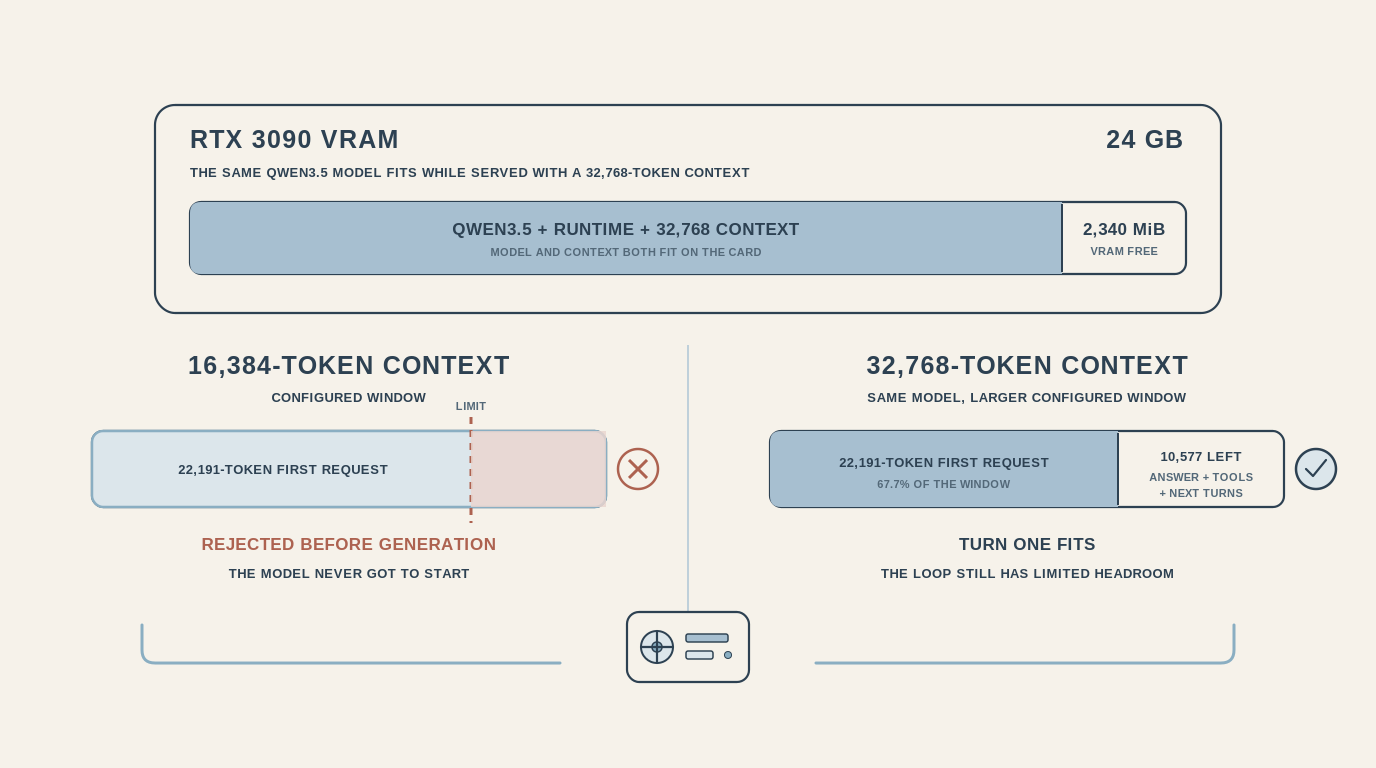
My actual question was almost irrelevant compared with everything surrounding it. The extra tokens are not inherently wasted. Without instructions and tools, the model would be a chatbot rather than an agent. But answering this question required one web search, while the request carried 45 tool definitions. Qwen3.5 fitted neatly in Veronica's VRAM, but the complete request did not fit in the 16,384-token context window I had configured.
Making the first request fit
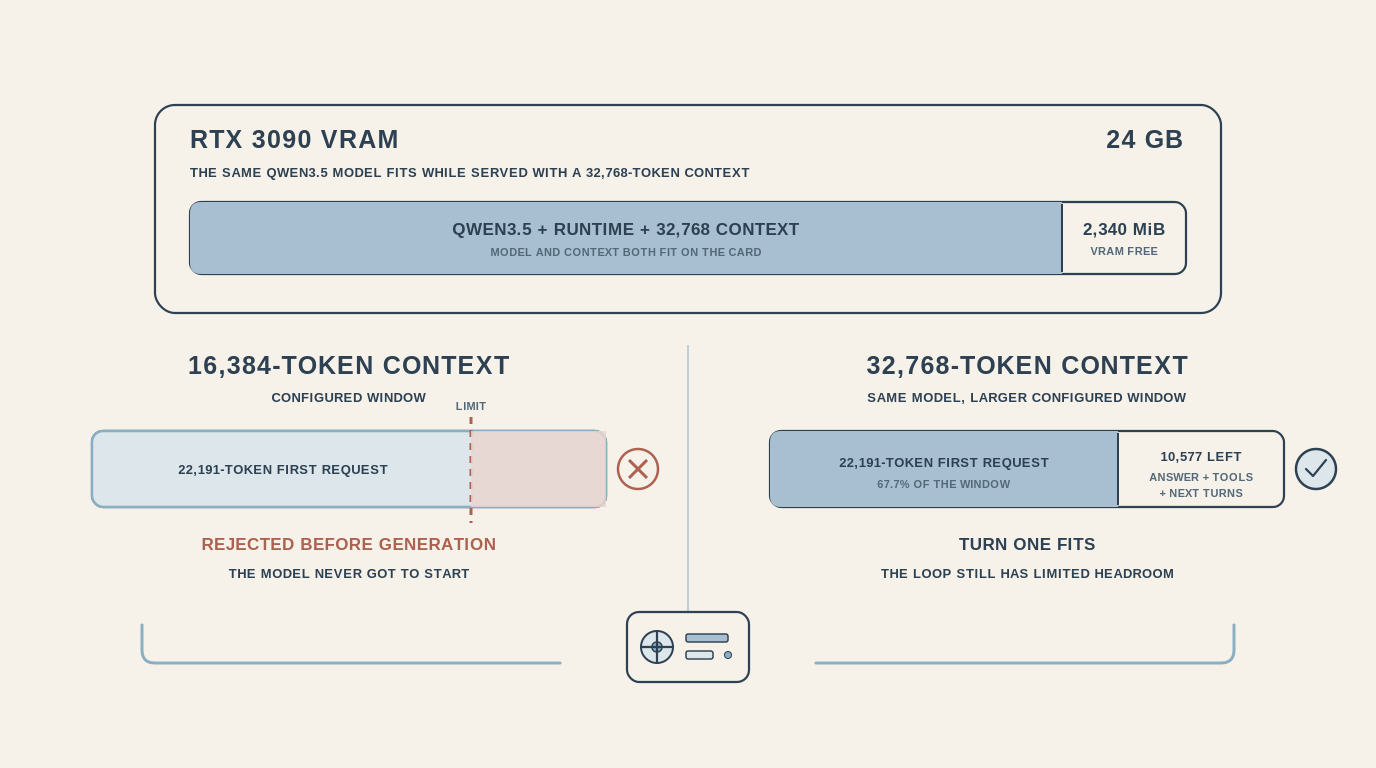
In llama.cpp, the context window is something you configure. I increased it from 16,384 to 32,768 tokens while keeping the same Qwen3.5 model. The model still fitted on the GPU with 2,340 MiB of VRAM free, and the 22,191-token request no longer exceeded the configured window.
Surviving the first request is not enough
That first request already consumed 67.7% of the new context window before the model generated anything. It left 10,577 tokens for the answer, tool results and subsequent turns. An agent loop adds context as it works. It calls tools, receives results and carries those results into the next request. Making turn one fit fixed the immediate error. It did not leave much room for the agent to operate.
Reduce what the agent carries
Cloud APIs spoiled us with context windows large enough that we could keep adding tools and MCP servers without looking too closely at what every request carried. Running the model locally made that budget visible because I had to decide how much memory to allocate myself.
The first lever is not necessarily a larger context window. It is reducing what the agent carries into every request. A focused profile can expose only the tools needed for a particular job instead of giving every agent every available capability. That reduces the initial request and limits the agent's blast radius at the same time.
Tool definitions can also be loaded only when they are needed. Since this test, Hermes has added Tool Search for eligible MCP and plugin tools. Their full schemas can now be loaded on demand instead of being sent with every request. Core Hermes tools are still loaded directly, so choosing which capabilities a profile exposes continues to matter.
Memory and tools are what make an agent useful. You want to spend that precious context deliberately.
Benchmark the loop, not just the model
My initial tests told me that Qwen3.5 could reason, write code, return structured output and generate 144 tokens per second. It did not mean Hermes could complete a realistic task with the model. When choosing a model, the harness and workload surrounding it are as important as the model benchmark itself.
Anthropic and OpenAI spoiled us. We used the default, most powerful model for everything. Fable forced me to reconsider that habit: the right model depends on the job. With local AI, that decision has to be made from the start.
I started by asking whether the model made good use of my GPU. I should have asked whether the complete agent could finish its work, with enough room left after turn one.