Why I ignored my own advice and built an AI workstation
There is now a workstation in my house with 96GB of RAM, a 1,500-watt power supply and a second-hand RTX 3090. Her name is Veronica. It contradicts with the advice I normally give: Keep systems simple, Kubernetes is overused. Don’t build infrastructure you might need three years from now.

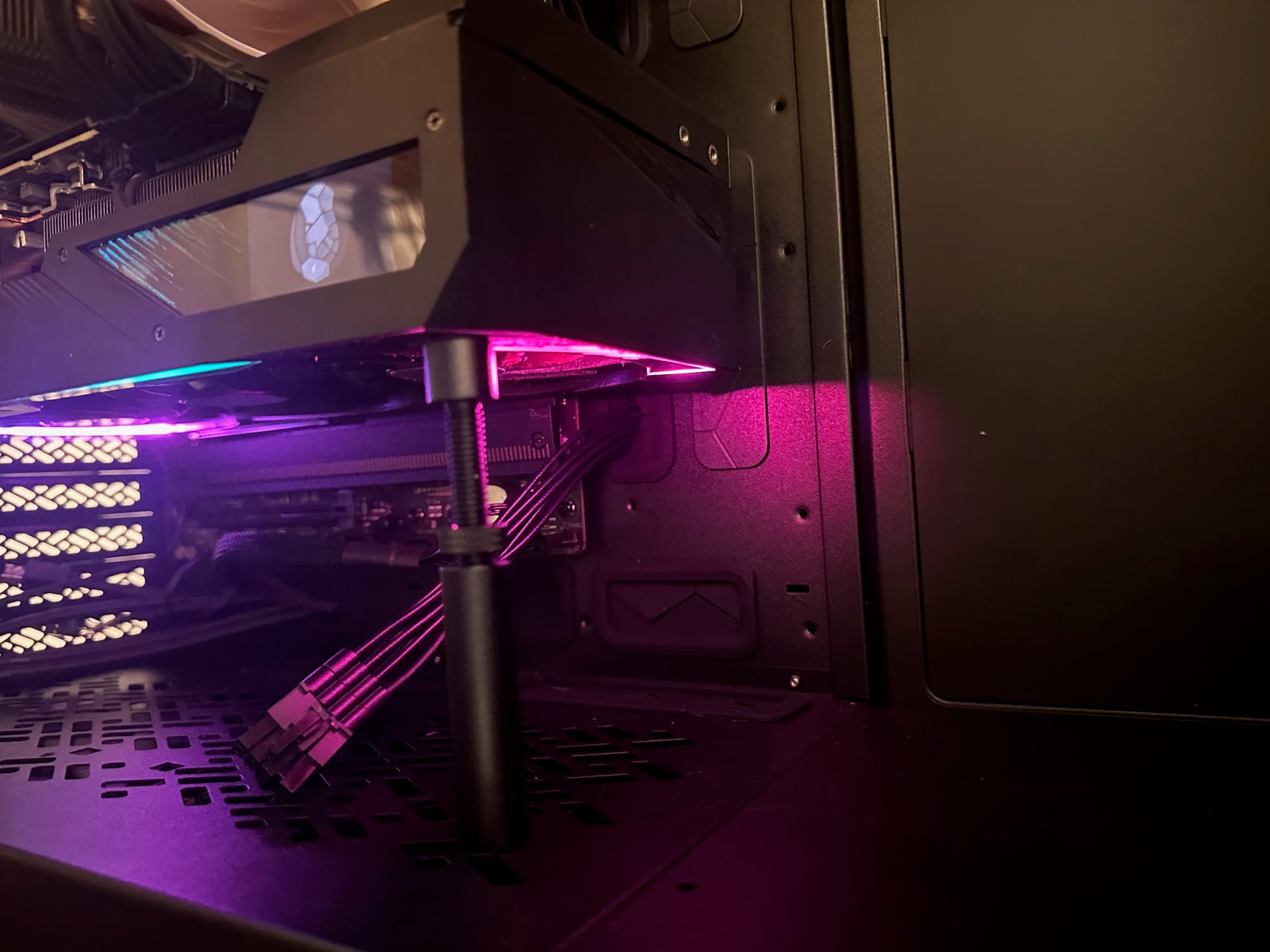
Yet frontier AI models are becoming more expensive, and sending all my data to another American tech giant makes me uneasy. Rather than debate the alternatives using benchmark charts, I decided to own and operate the infrastructure myself.
This is the first part of that experiment: choosing the hardware. I considered three very different systems, briefly wandered into the market for €25,000 servers, and eventually built the kind of desktop PC similar to what I did in the 90s.
Model choice wasn’t the real decision
Before buying hardware, I considered the easier middle ground: OpenRouter. It provides access to models from different companies through one API. Switching from one model to another becomes a configuration change rather than a new integration.
That solves provider lock-in, but not the question that was bothering me. All my data is still passes through another American company. Running an open model through someone else’s infrastructure is more flexible, but it is not local.
The real decision was therefore not which model to use. It was whether I wanted to keep renting access to AI or learn what it takes to operate it myself. Owning the infrastructure means accepting the upfront cost, electricity usage, maintenance and limitations of local hardware.
Three hardware paths
Once I decided to own the hardware, the problem quickly became memory. A model needs enough memory for its weights, context and runtime overhead. Consumer hardware offers several ways to provide that memory, but each optimizes for something different.
A conventional desktop with an NVIDIA GPU
The familiar option is an AMD Ryzen desktop with an NVIDIA GPU. This gives you CUDA, broad software support and fast dedicated VRAM. The limitation is capacity: consumer NVIDIA cards with enough VRAM for useful local models are expensive, and 24GB still imposes a clear ceiling.
Strix Halo
AMD’s Strix Halo platform takes a different approach. It can provide up to 128GB of shared memory, allowing it to load models that would never fit on a single consumer NVIDIA card. The trade-off is memory bandwidth and raw inference speed. It offers more room, but models that fit entirely in NVIDIA VRAM will generally run faster there.
A Framework Desktop makes this route especially approachable: compact, prebuilt and far closer to plug-and-play than assembling a dedicated AI workstation.
EPYC or Threadripper with multiple GPUs
The ambitious option is a workstation or 4U server built around EPYC or Threadripper. These platforms provide the PCIe lanes needed to run multiple GPUs without forcing everything through a consumer desktop layout.
This is the route to take if the goal is a small personal data center. It is also where sourcing became difficult. Components were harder to find, prices were often hidden behind quote forms, and suppliers appeared more interested in complete €25,000 systems than in helping someone build an experimental home server.
All three approaches can run local models. The real question is whether you prioritize capacity, speed, expandability or simply getting started.
Why I chose the conventional desktop
My first instinct was to build the EPYC server. It offered the cleanest expansion path: more PCIe lanes, multiple GPUs and enough room to turn the experiment into a small personal data center.
Very tempting, but it was also the classic future-proofing trap. I was optimizing for the third GPU before I had run a useful workload on the first one. Sourcing the components was difficult, the total cost kept growing, and every decision moved me further away from actually running a model.
Strix Halo was the most convenient option. A prebuilt Framework Desktop could load much larger models and would require little assembly. But I wanted experience with the NVIDIA and CUDA ecosystem that still dominates local AI tooling. For models that fit within 24GB of VRAM, a dedicated NVIDIA GPU would also be substantially faster.
The conventional desktop therefore became the pragmatic choice. I could buy standard consumer components, add a second-hand RTX 3090 and start learning without first building a miniature data center. It still left some room to expand, but expansion was no longer the requirement driving every decision.
Why a used RTX 3090 still makes sense
This is where the economics of local AI become strange. A newer GPU can be considerably faster without letting you run a larger model. The RTX 4090, for example, is much faster than the 3090 but still has 24GB of VRAM with a price difference of more than €1000. For this experiment, memory capacity mattered more than gaming performance.
The RTX 3090 is an unusual sweet spot. It provides 24GB of fast VRAM, mature CUDA support and enough compute to run useful local models. NVIDIA no longer produces it, but cards regularly appear on the second-hand market. I found an Aorus RTX 3090 for €850.
It also supports NVLink, which leaves open the possibility of adding a second 3090 later. That would provide 48GB of aggregate VRAM for software capable of splitting a model across both cards. It would not magically turn them into one ordinary 48GB GPU, but it creates an expansion path that newer consumer cards no longer offer.
The actual Veronica build
Once the direction was clear, the final build looked like this. These are rounded prices I paid in June 2026, including VAT where applicable.
- CPU: AMD Ryzen 7 9700X — €256
- CPU cooler: Noctua NH-D15 G2 — €150
- Motherboard: ASUS ProArt X870E-Creator WiFi — €399
- Memory: Crucial Pro 96GB DDR5-5600 — €840
- GPU: Gigabyte Aorus RTX 3090 Master 24GB — €850
- Power supply: Corsair HX1500i 1500W — €290
- Case: Fractal Design Define 7 XL — €175
- Storage: Lexar NM790 2TB NVMe SSD — €199
Approximate total: €3,200
The Ryzen 7 was deliberately modest. Local inference is primarily limited by the GPU, so spending more on a sixteen-core desktop processor would add heat and cost without materially improving the workloads I wanted to run.
The 96GB of system memory was less conventional. With the current RAMageddon, memory is crazy expensive. 96GB was the trade-off to give me room to experiment with models that do not fit completely within the GPU’s 24GB of VRAM. Offloading parts of a model into normal RAM is substantially slower, but it makes experiments possible that the GPU alone would reject.
The 1,500-watt power supply and oversized case are the two places where I left room for expansion. Both are excessive for one power-limited RTX 3090, but they preserve the option of adding a second GPU if real workloads eventually justify it.
What building it taught me
It had been more than fifteen years since I built a PC. In the nineties and early 2000s, I opened my computer almost every month to replace something. Building Veronica brought me back to those times. The process still felt like the way many of us first got onto the internet: assembling the infrastructure ourselves before we could explore what it enabled.
That's the nice thing about a physical experience, it makes things tangible. A larger model might mean a slower response or another GPU that might not fit in your machine.
What we’ll measure next
Veronica is built and the first models are running. Now comes the part that matters: giving her real work in the systems I use every day and seeing how much attention she needs in return. That should answer the question behind this project: does it make sense to run your own AI infrastructure today?